 MacEx
MacEx press kit
Official product information · Updated
What is MacEx? MacEx is a native file library app for Mac. It helps people find files with plain-language searches, preview documents and media, review duplicates, organize Downloads, and free up storage. Search and text recognition run on the Mac.
Short description
Find, preview and organize Mac files in one library—search with everyday words, tidy Downloads by source, and review duplicates before moving files to Trash.
What makes MacEx useful
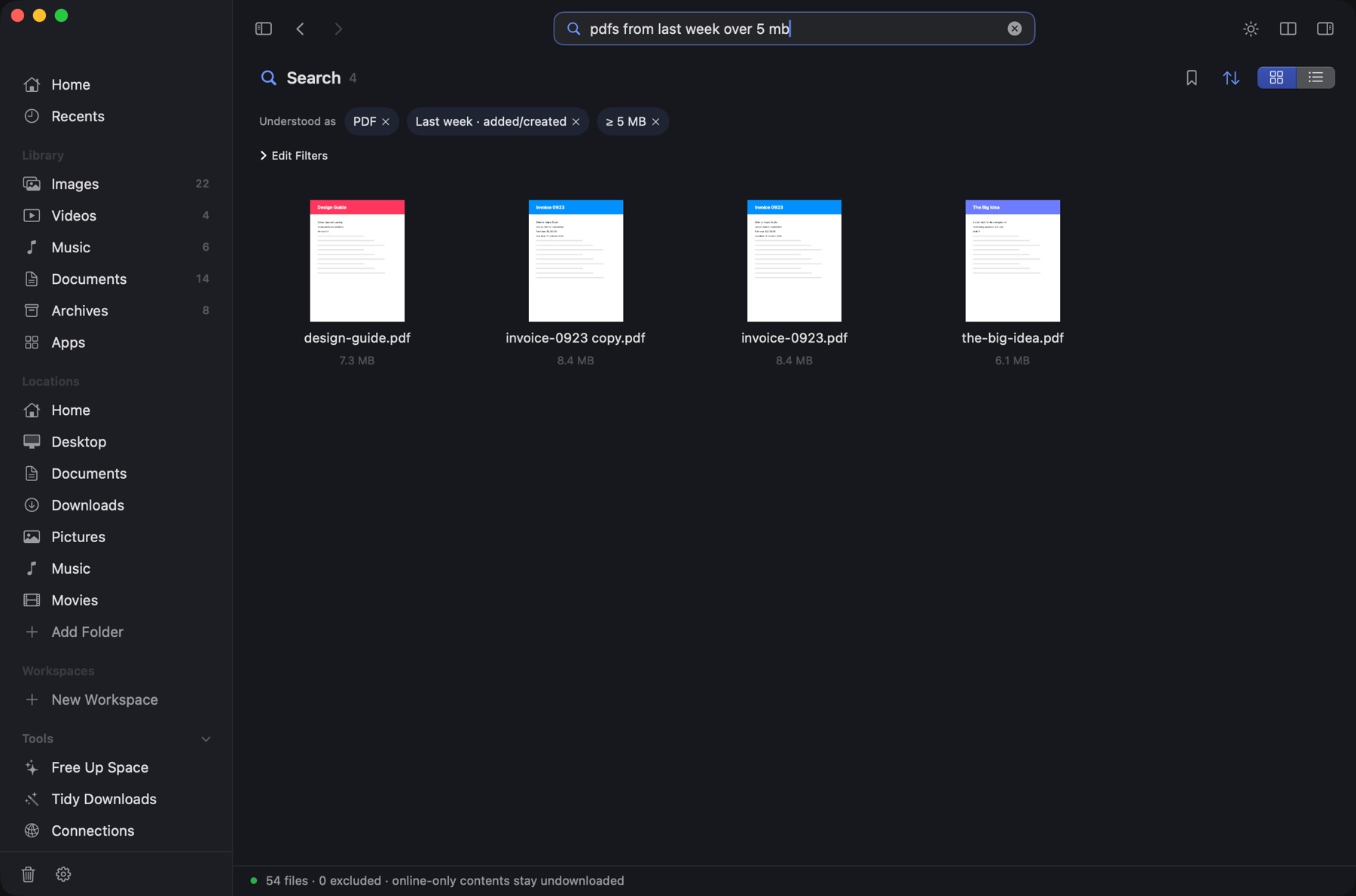
- Search without the filename: Search phrases such as
pdfs from last week over 5 mbbecome editable type, date and size filters. - Preview in place: Look at photos, PDFs and video without leaving the library. Optional text recognition finds words inside images and PDFs on the device.
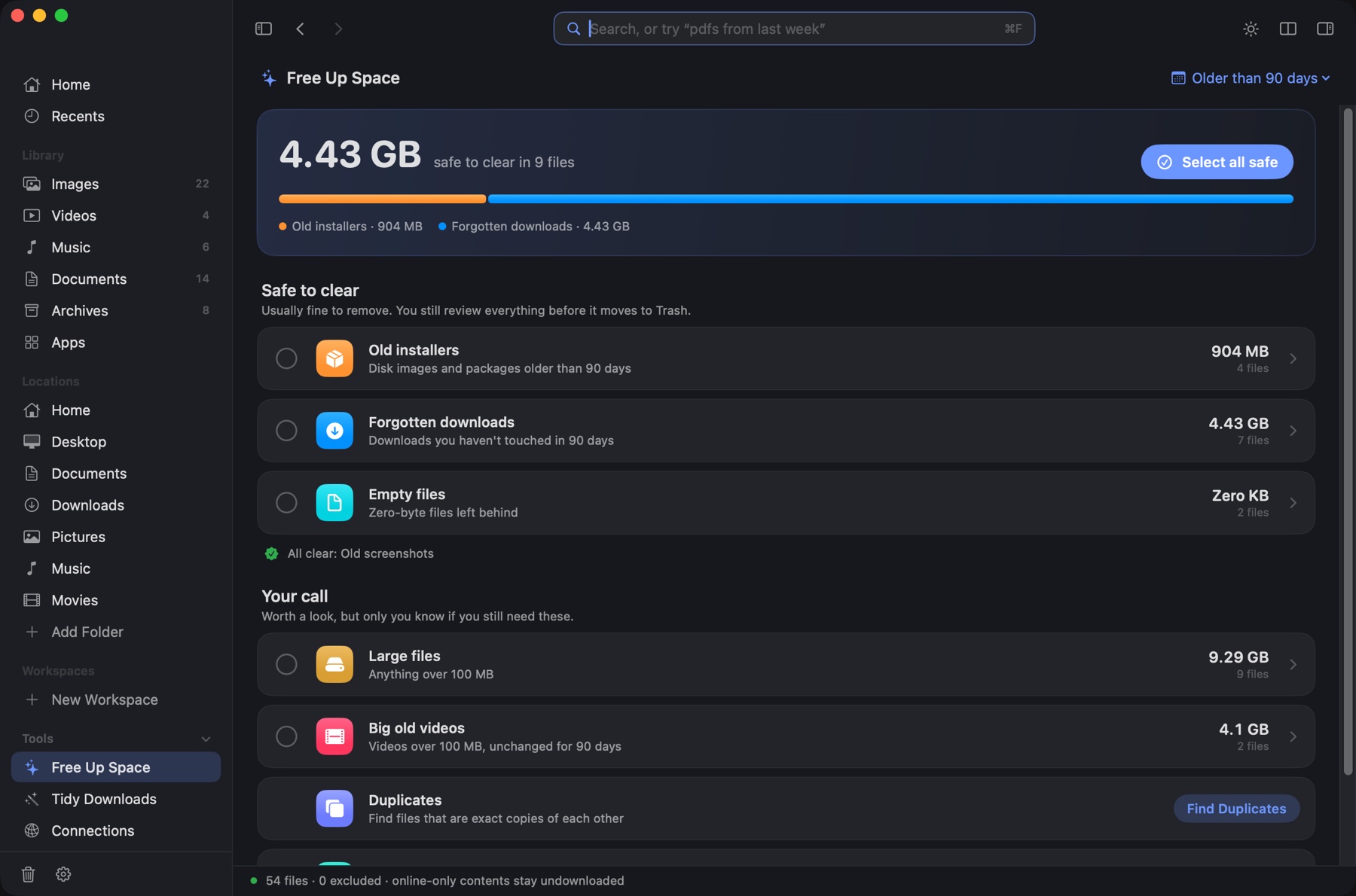
- Review before cleanup: Find duplicate files, forgotten downloads and old installers; files selected for cleanup go to Trash rather than being permanently deleted.
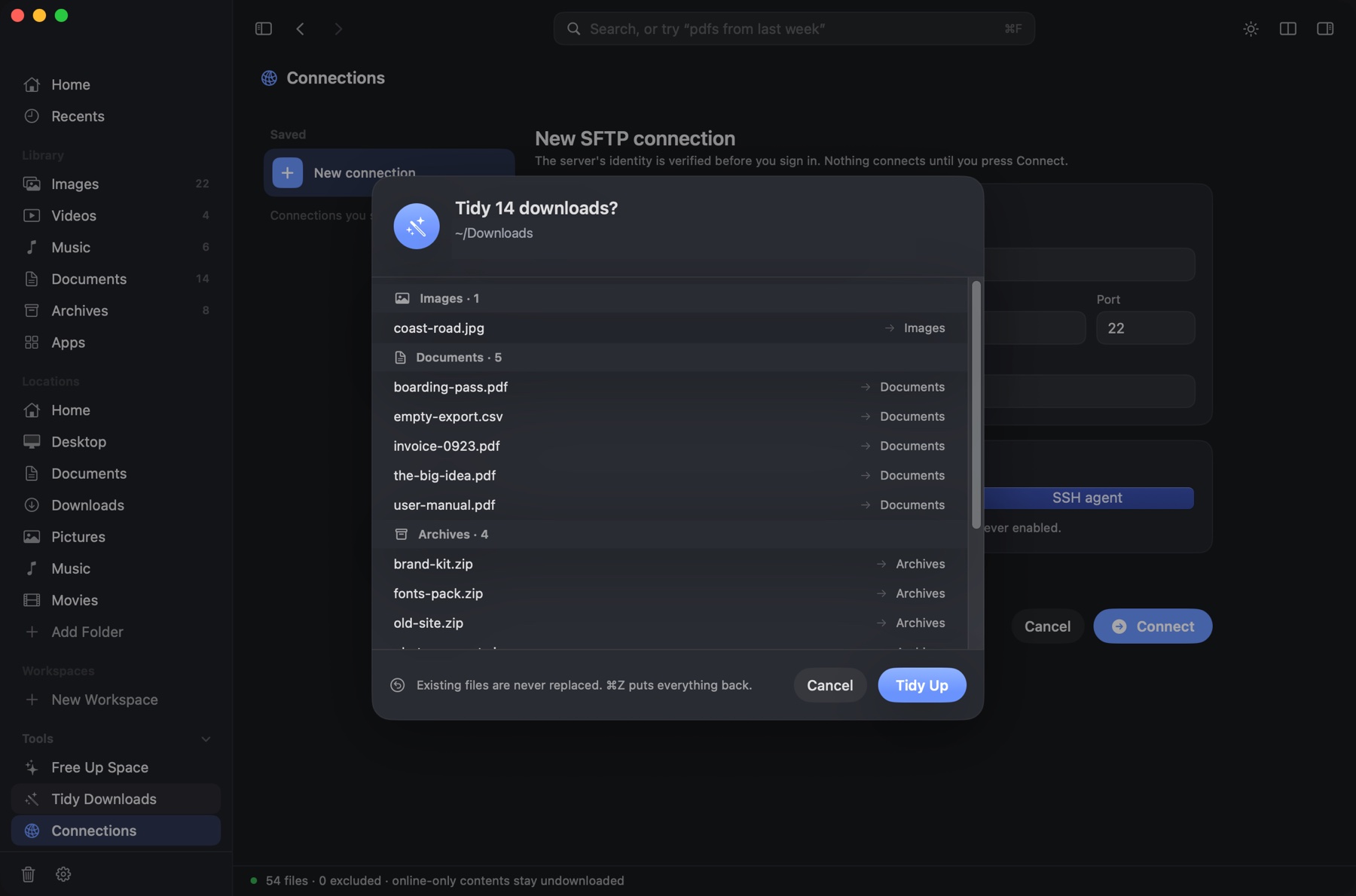
- Tidy Downloads: Group files by the site they came from and organize them on request, with undo.
- Remote files: Browse, upload and download over SFTP. Finder remains useful for other system-integrated workflows.
Verified product facts
| Platform | macOS 14 Sonoma or later; Apple silicon and Intel Macs | |
|---|---|---|
| License | One-time purchase, one Mac per license; no subscription or free trial | |
| Price | $9.99 USD launch price before tax (regular price $19.98) | |
| Privacy | File search and text recognition run locally on the Mac; no cloud AI or required account | |
| Distribution | Direct download; Developer ID signed and Apple-notarized | |
| Official website | macex.app | |
| Support and corrections | [email protected] | |
Product specifications, availability and prices can change. Please check the live website before publishing a review or directory listing.
Real screenshots and brand assets
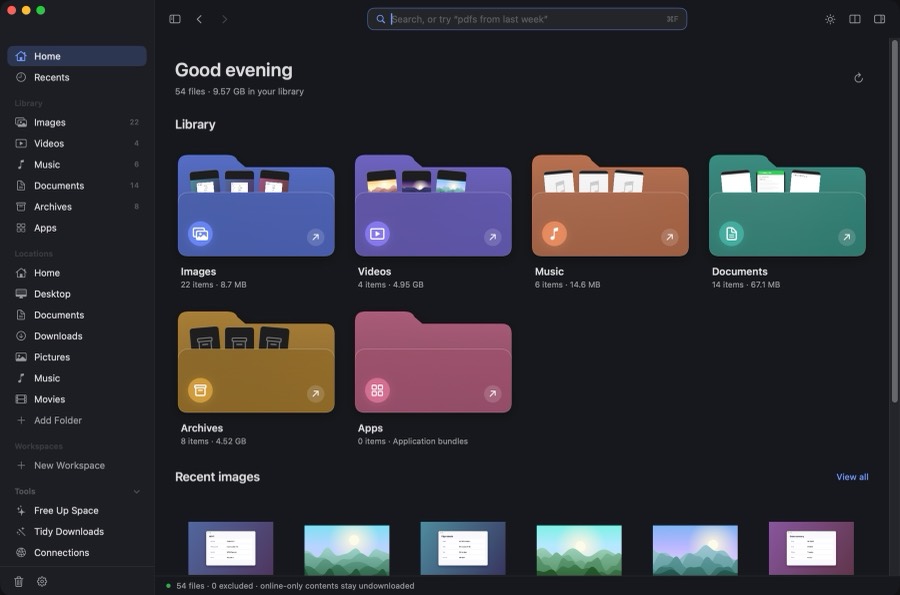
- MacEx app icon (PNG)
- MacEx landscape image (PNG)
- Plain-language search screenshot (JPG)
- Storage cleanup screenshot (JPG)
- Downloads organization screenshot (JPG)

Accuracy and comparisons
MacEx is not a replacement for every macOS Finder integration. Finder is still a good choice for ordinary folder navigation and system file pickers. MacEx focuses on the searchable file library, review-first cleanup, previews and download organization. See the MacEx vs Finder comparison for capabilities and limitations.
More information
Questions about MacEx, an inaccurate listing, or a review? We're happy to clarify the product.